


 Ananya Iyer
A reference page. Every block plan 2 has built so far appears below under a heading that names it.
This page is a reference, not an article. Every block plan 2 has built so far appears below under a heading that names it, so it can be read against the comp top to bottom.
The marks inside a sentence
Four things can happen to words inside a paragraph without starting a new block: bold, italic, code, and the gold marker. The marker is the loud one. It paints the words in the same gold as the headline, so one phrase in a section is the whole budget, and a paragraph carrying two has already spent it.
Links are the fifth. A link to a page on this site is written as a path and never as a full address: the PMP course answers on staging and in production both, where a typed host would send a staging reader to the live site. A link to somebody else carries its host and can be set to open in a new tab, the way PMI's own page for the credential does here.
The five kinds of list
Five, and the first two are the ones you usually want. Numbers where the order is the point, bullets where it is not, ticks where every line is something a reader can do, and each of those in a plain form and a marked one. None of them is a block: they are set on a paragraph from the list menu, the way bold is.
The plain pair first, because these are the ones most lists want. A small grey dot and a number in the body face, neither of them asking to be looked at.
- Paste a URL and the editor will not turn it into anything.
- A picture goes in at the column’s width, and that is the only width.
- A list inside an argument should be quieter than the argument.
Plain numbers, where the order is the point but the list is not:
- Write the brief before you open the tool.
- Read what came back against the brief, not against your memory of it.
- Mark anything the tool inferred rather than was told.
And the marked three, for a list that IS the section. A gold rule, a gold numeral and a green tick. One of these on a page is a mark; four is wallpaper.
- Write the brief before you open the tool.
- Read what comes back against the brief, not against your memory of it.
- Mark anything the tool inferred rather than was told.
Bullets, where nothing is carried by the order:
- A brief is one paragraph and the numbers that belong with it.
- A draft is something a person has read and will put their name on.
- Raw output is useful, and it never leaves the team.
And ticks, for the lines that are instructions:
- Name the reader and say what they already know.
- Say what the output is for and who reads it.
- Ask for the shape: a table, a list, a paragraph.
The take-away ticket
Gold field, once per article. It is the block a scanner is meant to stop at.
- Why the first attempt fails, and why it is almost never the tool's fault
- How to pick the one job worth handing over first
- A prompt written out in full, next to the version that does not work
- What to measure in month one, and the number that tells you to stop
The two callouts
Lavender for a digression, gold for a risk. Neither has a coloured left bar, and nothing else on the page does either.
This is not an argument against using it for status reports. It is an argument against starting there. Come back to it in month three, when the tool has your definitions and you have the habit of checking.
A paragraph between the two, so the walker has to close one prose run and open another.
Client project data in a public model may leave your organization's control. Check the agreement before you choose the tool, not after you have used it.
The two quotes
The first is the article raising its own voice. The second is somebody else speaking, with a face and a role.
The tool was never the problem. The brief was.
We stopped asking whether the tool was right and started asking who had checked it. That one change did more for us than any change of tool.

The definition list and the good-and-bad pair
The vocabulary a team has to share, then two lists of short items.
- Draft
- Something a person has read and is willing to put their name on. Nothing leaves the team before this.
- Raw output
- What came out of the tool. Useful, never shared, and never pasted into a document that gets forwarded.
- Inferred
- A statement the tool made up to fill a gap. Not a lie and not a fact, and the thing to check first.
- Producing a first version of something you would otherwise stare at
- Reading a long document and finding the three lines you asked about
- Saying the same thing five different ways for five audiences
- Never getting bored on the fortieth meeting summary of the quarter
- Knowing what it does not know, which is the expensive failure
- Anything that depends on a conversation it was not in
- Judging whether a delay matters to this particular sponsor
- Staying correct as the project changes under it
The comparison pair and the stat band
The same thing done badly and then well, then three figures that are one reading.
Give me some project risks.
Create a risk register for a six-month data migration with fifteen people across two time zones, covering technical, resource and timeline risks. One row per risk, with an owner named.
NoteAll three figures above are illustrative and exist to show the block. Replace with your own before publishing.
The table
Horizontal hairlines and a gold header. One column may take the gold field, and columns of figures get tabular numerals.
| Job | Who checks | Check takes | Times a week |
|---|---|---|---|
| Meeting decisions | Whoever ran the meeting | Under a minute | 4 |
| Risk rewrite | Risk owner | Two minutes | 2 |
| Schedule options | Planner | Five minutes | 1 |
| Test plan draft | Test lead | Ten minutes | 1 |
NoteA sample log for one team's first month. Keep it for four weeks and stop.
The code panel
Coloured at build, so the browser gets no highlighter. The numbers are their own column and cannot be selected, and line 9 is marked.
# risk_register.py, the brief above made reusablefrom anthropic import Anthropic BRIEF = """Role: senior project manager, regulated industryTask: draft a risk register for the project belowProject: {project}Cover: technical, resource, timelineFormat: table, one row per risk, owner namedRule: mark anything you inferred rather than were told""" def draft(project: str) -> str: brief = BRIEF.format(project=project) reply = Anthropic().messages.create( model="claude-opus-5", max_tokens=2000, messages=[{"role": "user", "content": brief}], ) return reply.content[0].textThe three media blocks
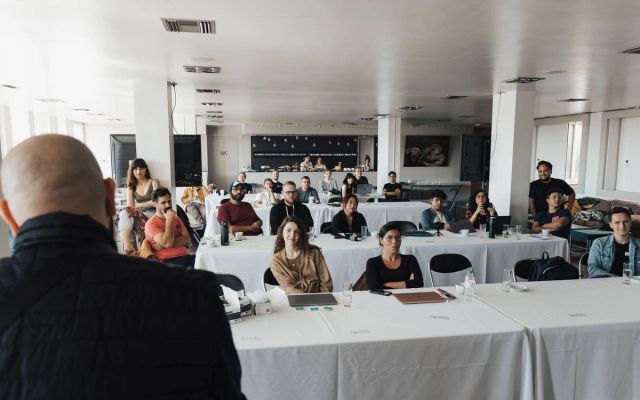
Two pictures and a video. Every picture is the width of the column and there is no second width to choose; what changes is the height, which is whatever shape you uploaded. A wide one is short, a tall one is tall, and the two below are the extremes of that.

The two asks, and the inline read-next
A course ticket and a download row, both with controls that go somewhere. Then one other article, mid-read.
Learn this in a room, not a search bar: Certified AI Native Project Manager
Prompting, validation, governance and the tools, applied to real projects with an instructor watching your work.
See the program


Questions people ask
Published

'%3E%3Cpath stroke='%23fff' stroke-linecap='round' stroke-linejoin='round' stroke-width='1.5' d='M3.33 14.17v1.66A1.67 1.67 0 0 0 5 17.5h10a1.67 1.67 0 0 0 1.67-1.67v-1.66m-10.84-5L10 13.33l4.17-4.16M10 3.33v10'/%3E%3C/g%3E%3Cdefs%3E%3CclipPath id='a'%3E%3Cpath fill='%23fff' d='M0 0h20v20H0z'/%3E%3C/clipPath%3E%3C/defs%3E%3C/svg%3E)